This is only available in WRDB 5.1 and higher:
Measure distance/area: this allows you to measure distances and areas on your map:
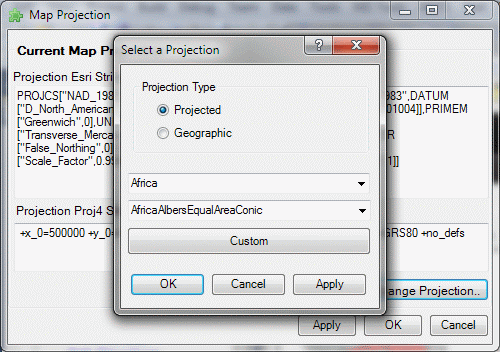
Change Map Projection: as noted previously, the GIS map is automatically assigned the projection of the first layer which has a projection other than latitude/longitude (i.e., WGS 1984). If you wish to use a different projection select if from this dialog:
Assign Projection: sometimes you will acquire shape files that do not include a .PRJ file which indicates what native projection of the file is (e.g., are the coordinates in meters, feet, or degrees?). Use this tool to assign a projection to such a file.
Reproject Shapefile: although WRDB will automatically reproject a shapefile to your map's projection, that can be time consuming. This tool will reproject an existing shape file to a different coordinate system and allow you to save it to a new name.
Options: here you can specify a basemap to be used whenever you use the GIS tool to perform model animation:
Basemaps for non-animation uses (e.g., stations and data display) can be specified as WRDB Project preferences.